Figma Migration
Complete overhaul of creative workflow for the marketing department at Banana Republic.
Duration
8 months
Role
Senior Creative, Design Systems
Internal creative process overhaul
How a Figma-based system drove a 46% increase in design efficiency.
The Problem
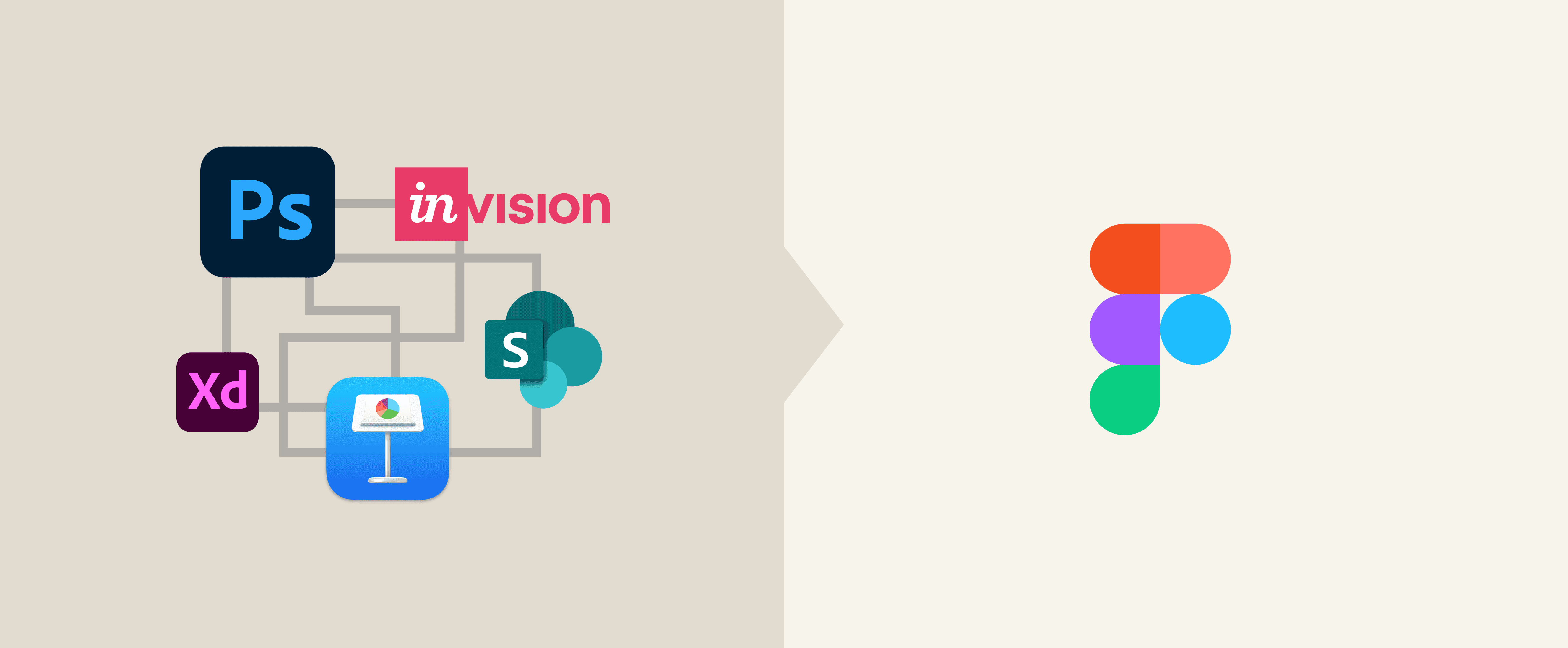
When I joined the team, the creative workflow was antiquated. We were using Photoshop to design marketing assets, InVision to visualize prototypes, and Keynote to present those assets to leadership. This disconnected workflow led to version control issues, siloed work, and delayed feedback loops.
Multiple rounds of exporting, importing and reformatting consumed an estimated 5 -10 hours per designer per week — leading to a feeling of burnout among all stakeholders in the department.
The Solution
To streamline our process, I transformed our design workflow by implementing a scalable system in Figma that consolidates asset creation, collaboration, and presentations into in a single file — effectively doubling design efficiency.
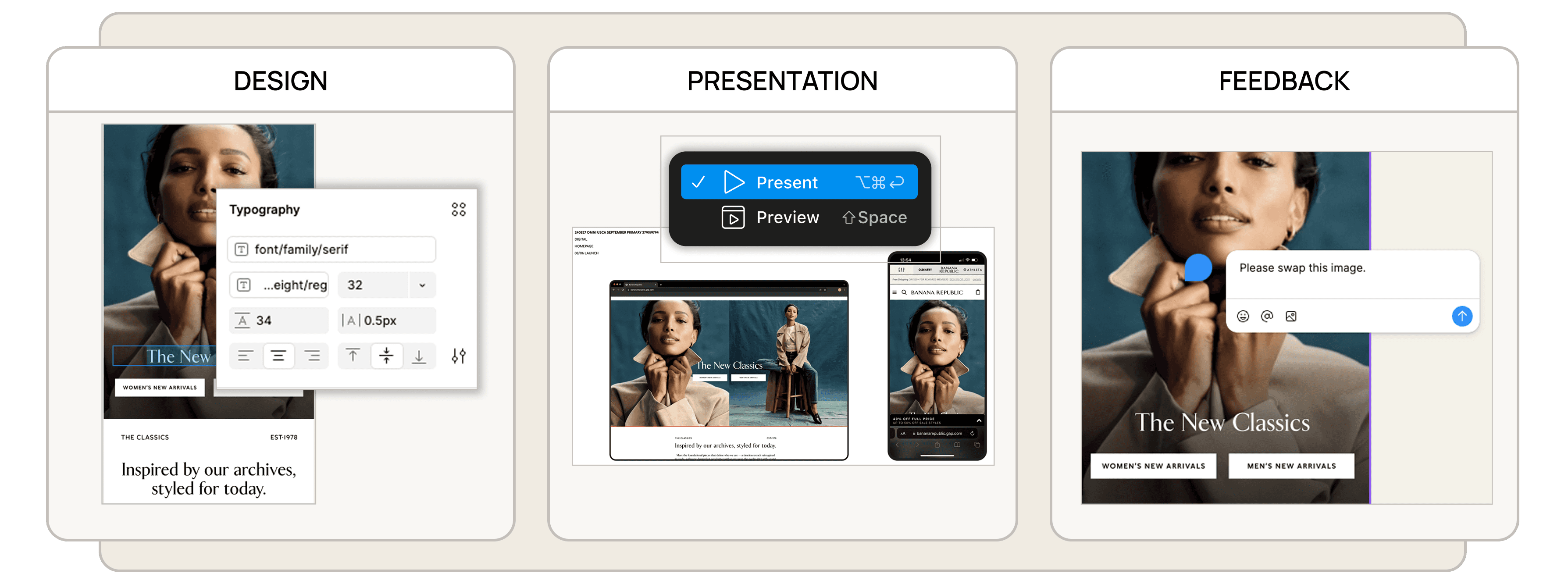
Design, Presentation & Feedback — All in one file ☝️
01. Discovery
Workflow Audit
I began by collecting feedback from 4 designers and 3 project managers — observing each stage of our 6-week project lifecycle — which allowed me to map out the existing asset-creation-to-review journey.
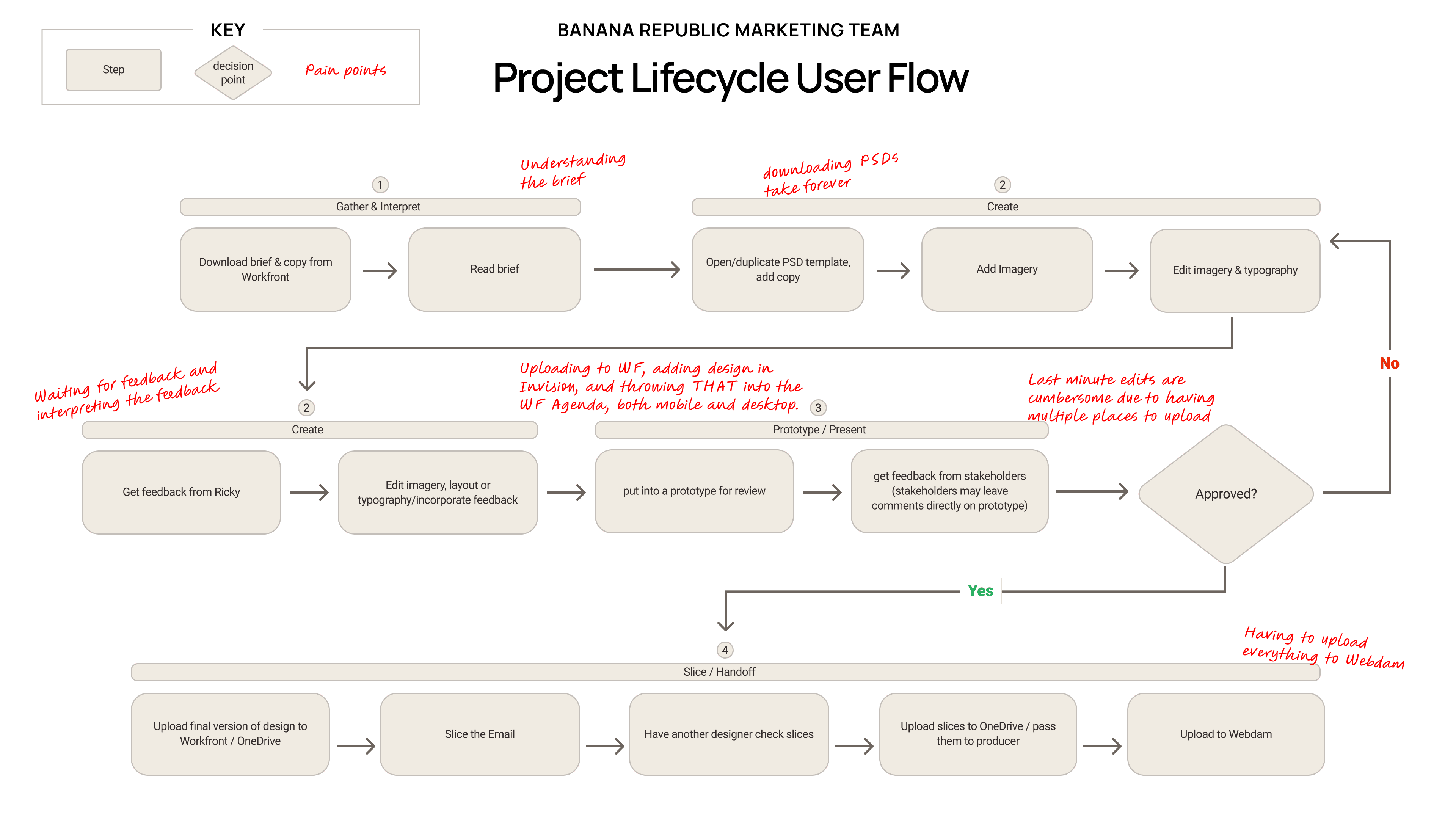
Identifying Repeated Friction
I conducted ad-hoc interviews with the same stakeholders on to validate the user flow and inquire about any major pain points in this process and their understanding of their roles.
We don’t know what the latest version of a file is because everyone’s working in their own bubble.
Photoshop files are so heavy, it takes forever to share. Sometimes it takes over an hour to download a large file.
TOO MANY TOOLS! Photoshop, Invision, Figma, Keynote... I can’t keep track.
02. Analyze & Define
Personas
Feedback from the interviews allowed me to define two archetypes to center my solution around.
Tara, Senior Designer
Goals
Spend more time on creative exploration and less on file management.
Frustrations
Slow file sharing and version control confusion.
Needs
Real-Time collaboration
Typesetting
A quicker design-to-review pipeline
Prototyping
Photo Editing Capabilities
A single source of truth
Kyle, Marketing Manager
Goals
Get campaigns to market faster.
Frustrations
Lack of visibility into design progress and inefficient feedback loops.
Needs
Real-time viewing
Send instant feedback
A quicker design-to-review pipeline
Quick and easy file sharing
Easy handoff to developers
A single source of truth
Competitive Analysis
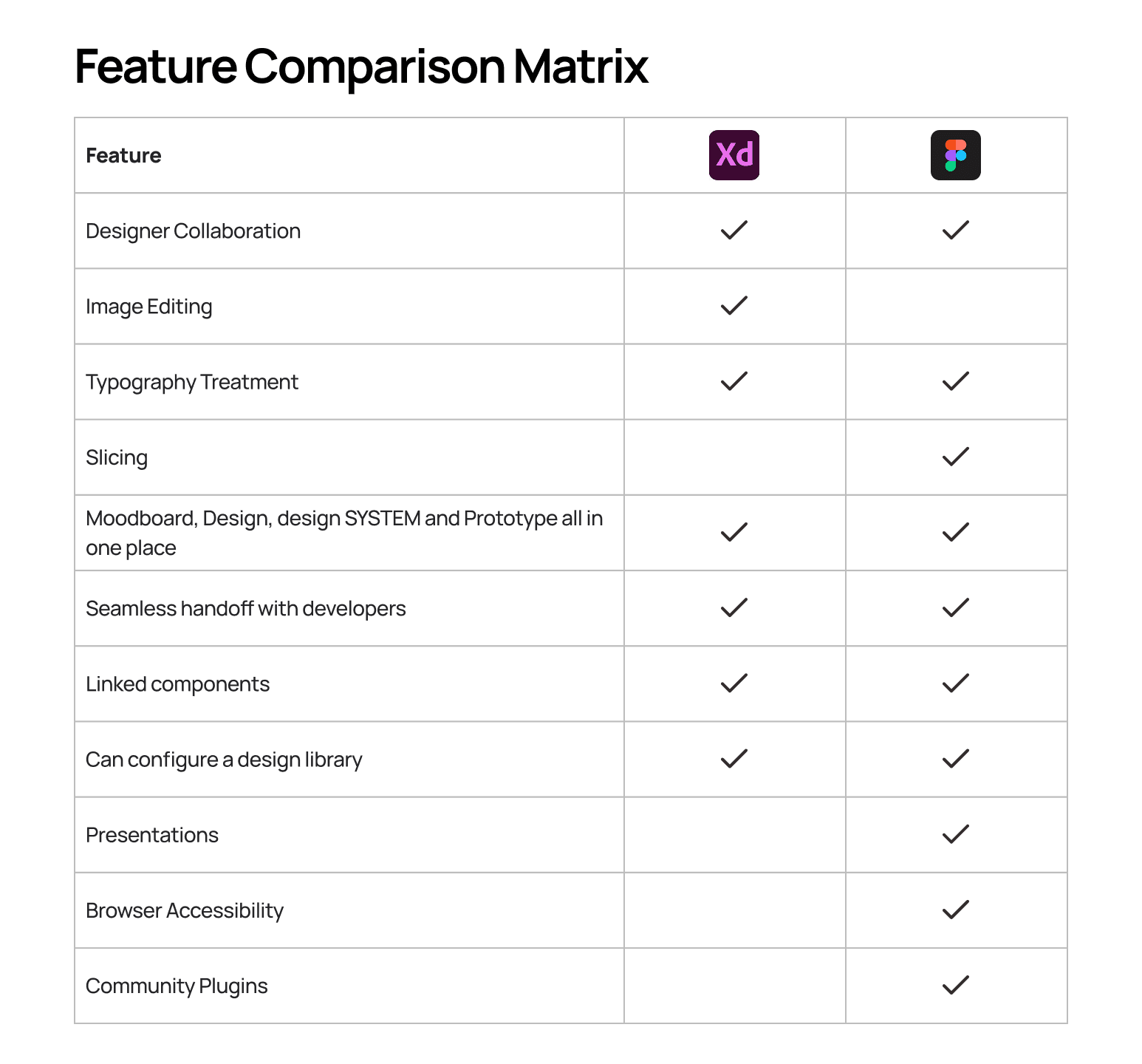
I conducted a Competitive Analysis of all the existing tools that cover the most ground in terms of design, collaboration, and presentation. Certain tools like Adobe XD had an advantage due to existing Adobe adoption. Despite this, Figma ultimately proved to make the most sense as I started to visualize the features that were grounded in my team's needs.
03. Setting the Framework
Goal
Create a unified, collaborative system where both marketing assets and presentations live together in a single file.
Figma's core functionalities were pivotal to consolidating the many tools we were previously using into a "single source of truth”.

Components & Instances
Real-time synching between designs and presentation slides.
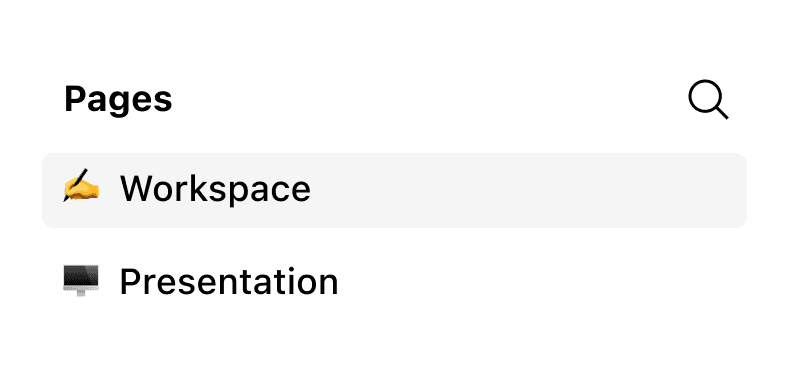
Pages
Creating a separation between workspace and presentation views
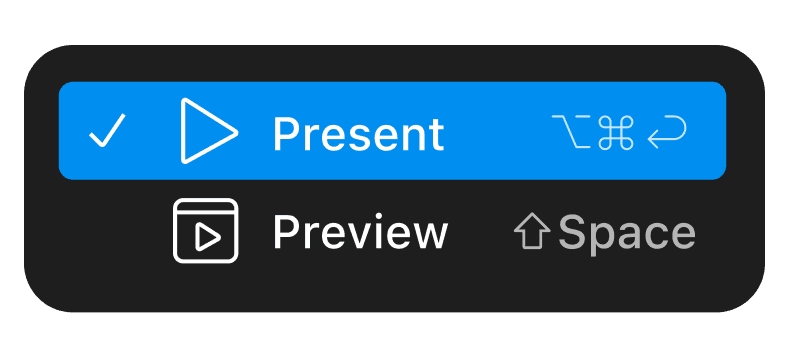
Frames & Prototyping
Ability to mimic presentation slides like Keynote decks
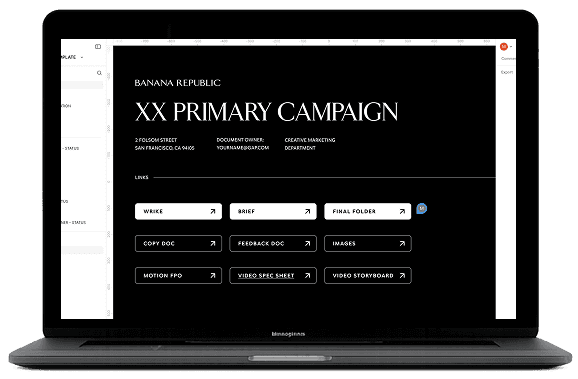
Single shared document of design & presentation
Edits instantly update in presentation view
Real-time collaboration for efficient feedback
Structured template that scales across seasonal campaigns
04. Testing & Iteration
I piloted this new system on a smaller campaign in order to safely test the viability and collect feedback to keep my regular cadence of marketing design work moving as all of this work was outside of my job scope.
Design Library
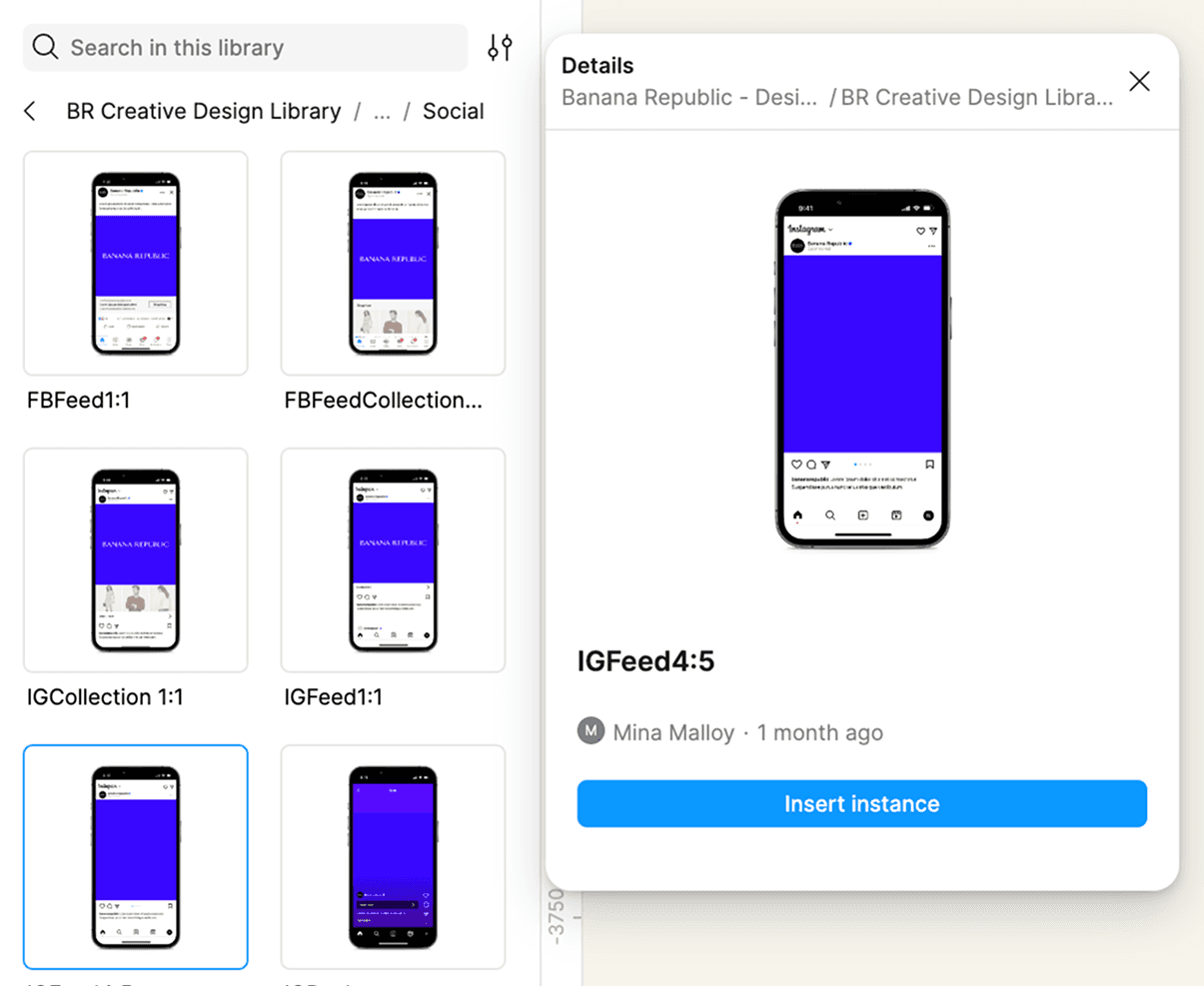
The system served as a great framework to have designs and presentations in one place; however, the output of assets were still resulting in visual inconsistencies due to the varying asset requirements for each project.
To solve for this, I established a publishable Design Library in Figma that houses standardized asset templates for designers to be able to pull from, directly into their project files.
05. Onboarding
Onboarding our designers to this new system required a multi-pronged approach that involved a lot of communication and documentation.
Documentation
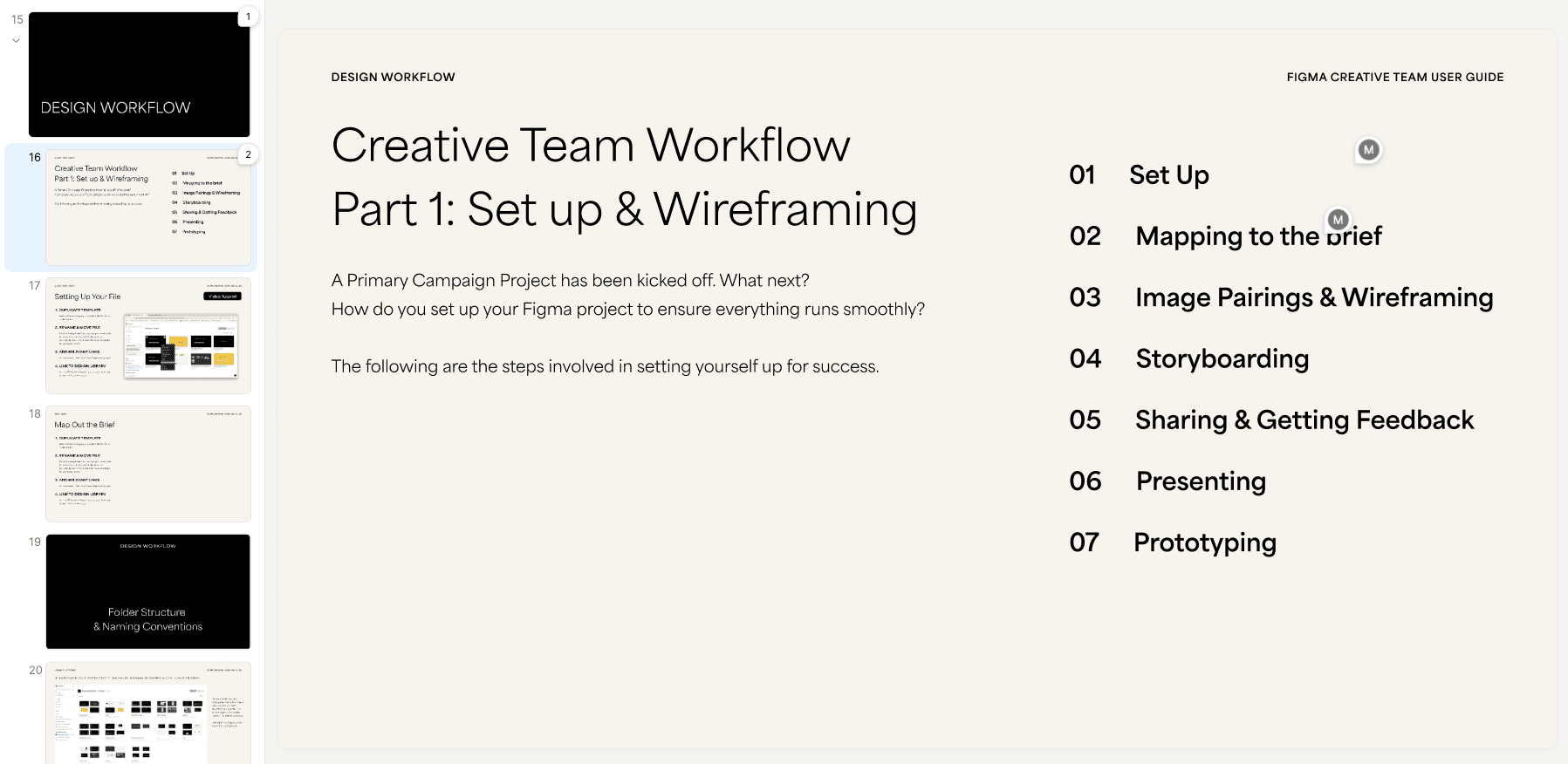
The first step was creating an internal wiki that teams can reference asynchronously. It included a "User Guide" within the Project Template for easy troubleshooting, as well as a separate slide deck that outlines our workflow at a higher level for new hires and cross functional partners.
Defining New Conventions
Overhauling a new process raises many questions and requires a reassessment of existing conditions. I found the best way to handle resistance to change is a balancing act of creating guardrails that allow enough structure for people to adhere to, while still allowing flexibility for them to explore without the fear of breaking anything.
How do we navigate the feedback process now that stakeholders can comment directly in a file?
How do we structure the folders and files for searchability?
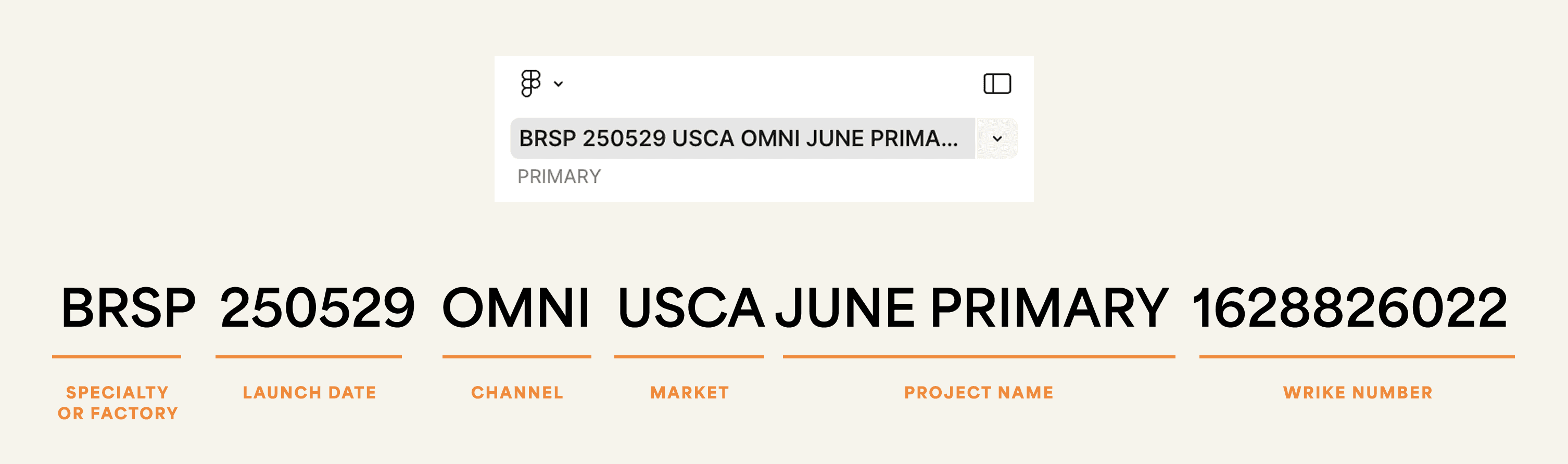
Example
Defining naming conventions acted as guardrails that enabled the system stay flexible enough to withstand user error. If the project file was misplaced in the "wrong" folder, files were still searchable with the project name.
Workshops & Training
I officially kicked off the new workflow by rolling out training sessions tailored to each cross-functional team. Training for each team included:
Design
Project Set Up
Design System
Best practices
Prototyping
Project management
Commenting
Sharing capabilities
Viewing asset specs
Developer handoff
Marketing
Figma Slides
Presentation
Commenting
Sharing capabilities
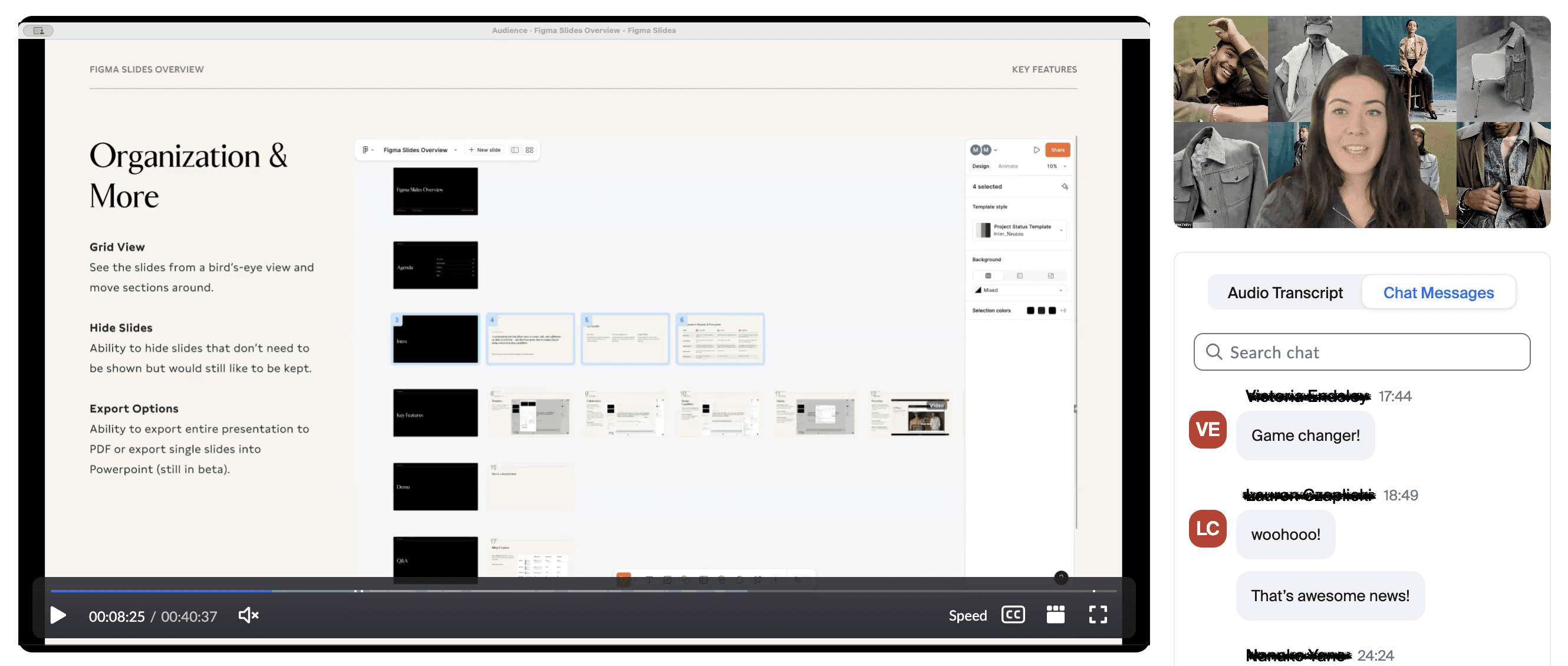
I continued the conversation by setting up weekly office hours for anyone who needed clarity with the new process. This apparatus ensured a streamline of communication and updates, while effectively empowering teams to operate autonomously, which eventually resulted in a department-wide adoption of Figma.
07. Impact & Reflections
Outcomes & Impact
Establishing this new creative standard unified teams across channels — real-time collaboration strengthened cross-functional alignment, leading to faster approvals and fewer miscommunications. From December 2022 - December 2025, the results showed:
46%
Increased omni-channel Design Output
2x
Social & Affiliate Content output
-19%
Headcount
The quality of output increased as well. Centralized assets and a shared design library improved consistency, enabling campaigns to launch with cohesive typography, imagery, and layout while making it easier to catch errors and implement updates. Ultimately, the system freed designers from repetitive production tasks, allowing them to focus on the higher-impact, creative work they were hired to do.
Learnings
Mobilization & Building Consensus
When piloting a new idea to a group of people, it is imperative to show the value of your new idea before anything else. Because people are naturally resistant to change, I anchored presentations in the team's shared pain points and demonstrated the system's biggest benefit through a simple, high-impact demo.
Done, Not Perfect
I initially hesitated to roll out the system, worried it wasn't polished enough — but reminded myself that it was already an improvement over the status quo. By supplementing the rollout with documentation and guidance, I was able to mitigate friction points and refine the process over time. The system has since evolved significantly, which wouldn't have happened if I had waited for it to be perfect.
Simple is Best
Simplicity is essential to scalable workflows. As I developed the system, I balanced adding features with maintaining clarity, realizing that more flexibility often introduced more chaos. By prioritizing restraint and embedding guardrails directly into the template — such as locking layers — I reduced confusion and created a more intuitive experience for stakeholders.